
← DREAMaBOX Chat
DOWNLOAD DREAMaBOX CHAT
The first 3 days are free, then only $5.
The installer then fetches the program, about 5 GB. It needs about 12 GB of free space when installed.
How to install
- Click the button and run the file you download.
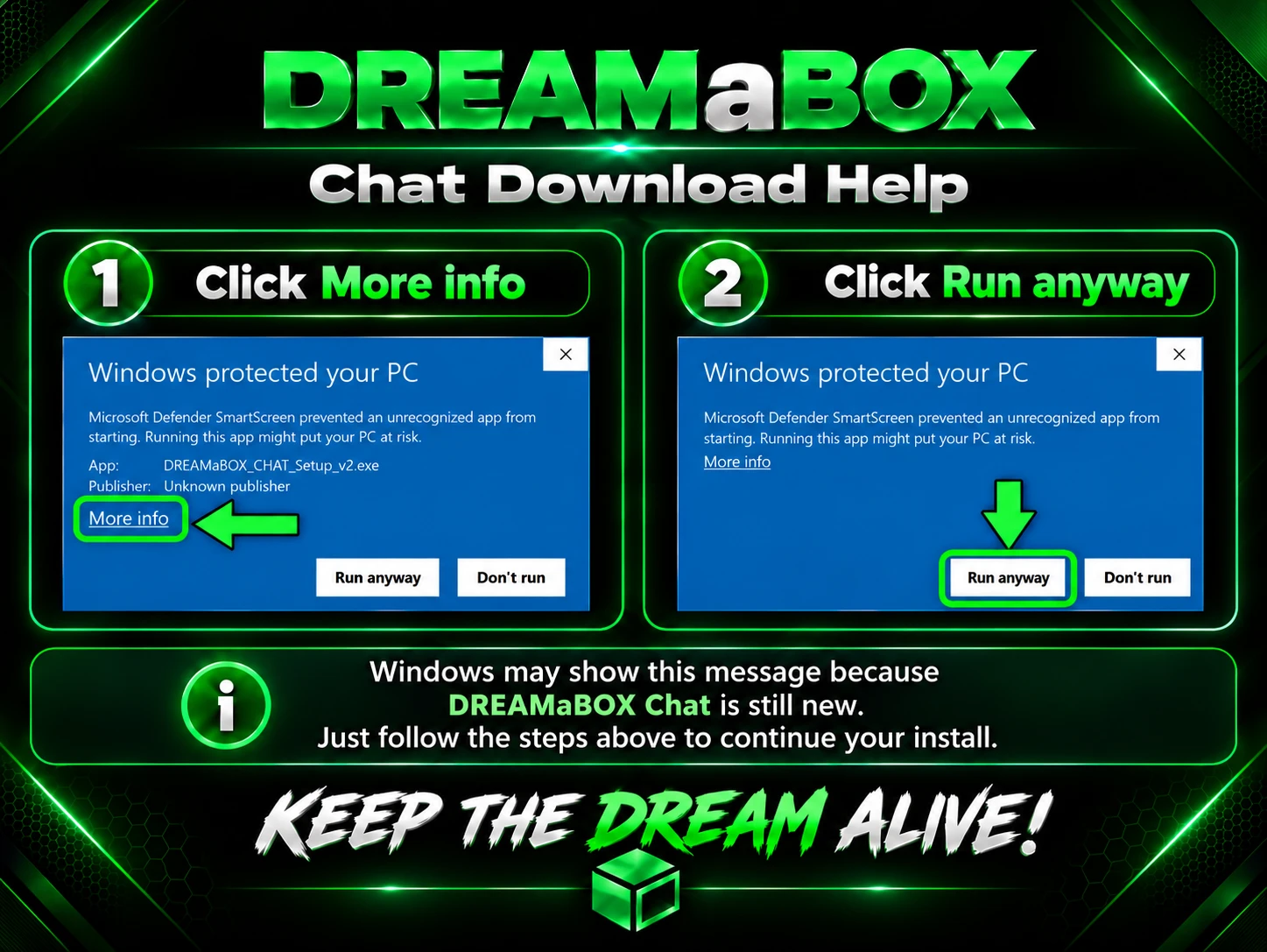
- If Windows shows a blue “Windows protected your PC” screen, click More info, then Run anyway.
- Read and accept the license, choose where to install, and click Install.
- You can pause and resume the download at any time.
- When it finishes, open DREAMaBOX Chat from your desktop and create your account.
Need help? Read the User Guide.
Having trouble? Troubleshooting